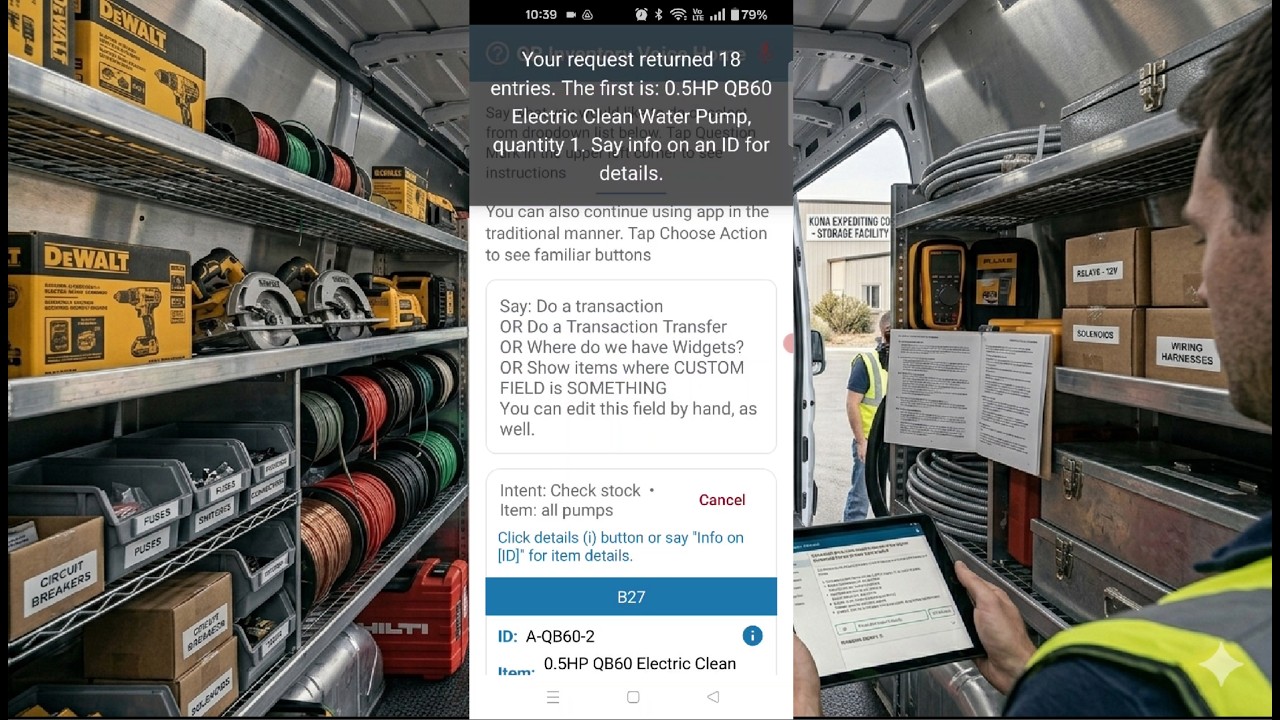
Smart Inventory Control - Fast Mobile Tracking With Voice AI

Simplify inventory and asset management with bulk QR code scanning and hands-free voice interaction. Fast deployment, zero training, great results.

Voice Inventory Search Video

Voice Inventory Lookup

Find inventory, materials, tools, and assets using natural language voice commands. Fast, hands-free, and designed for field technicians, warehouse workers, and service teams.
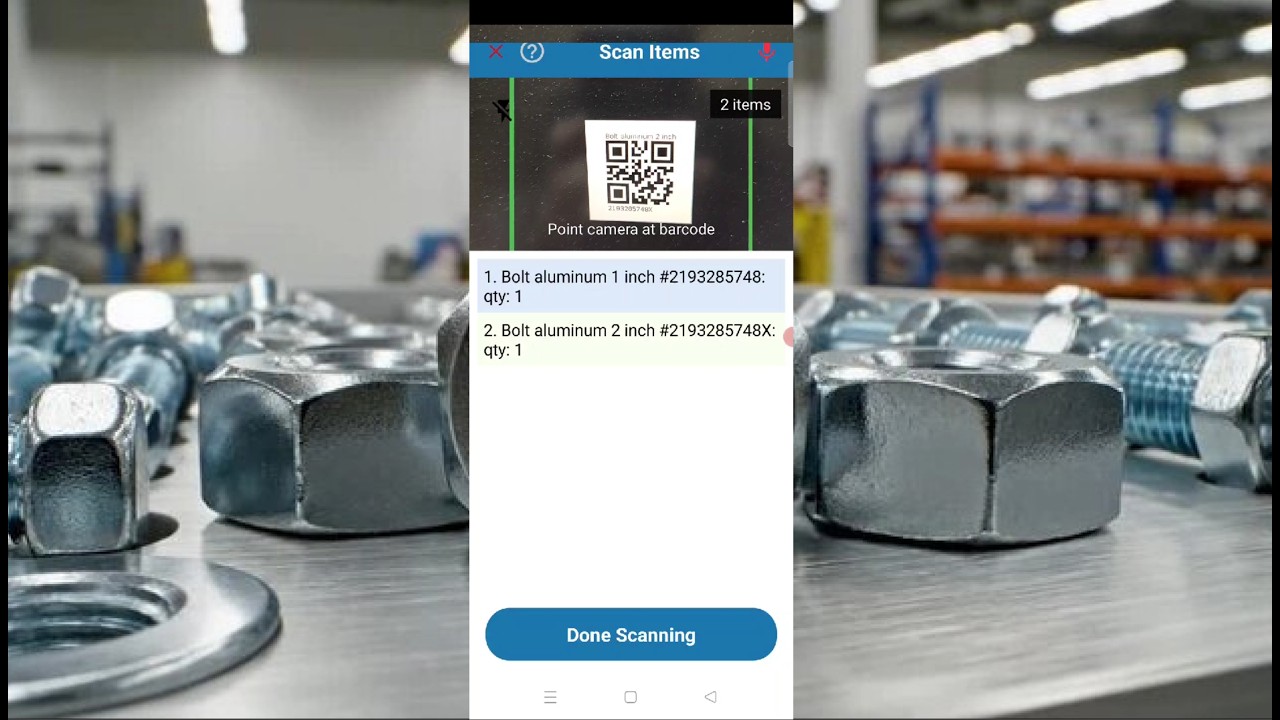
Voice Inventory Transactions Video

Voice Inventory Transactions

Receive inventory, transfer stock, assign materials to jobs, and update quantities with voice-guided workflows and bulk QR scanning.


QR Inventory Home   >   QR Inventory Tour

Centralized Mobile-First Inventory Management System - QR Inventory Software Tour

QR Inventory is a mobile-first, centralized cloud system designed for real-time asset tracking and inventory management. A field-optimized, voice-enabled mobile app allows field technicians, warehouse workers, and shop floor employees to manage inventory, track assets, and access information on the spot without interrupting their workflows. The centralized cloud platform seamlessly connects field and office teams, providing all authorized software users with instant access to real-time data. The result is accurate inventory records, live material and tool visibility, smarter planning, and increased productivity.

Managing materials, tools, and equipment across dispersed field sites, service trucks, and warehouses using manual spreadsheets usually does not work well, leading to incorrect data and costly errors. QR Inventory fixes this problem by replacing manual paperwork with fast and efficient mobile tracking.

By capturing material usage, tool checkout, and equipment transfer the moment it happens, you eliminate the costly unexpected shortages, ghost assets, and billing delays that reduce your profit margins. With real-time asset and inventory management, field crews stop wasting time hunting down missing gear, and office staff does not make critical purchasing decisions based on guesswork.

Here is how you achieve real-time inventory and asset visibility without manual work with the QR Inventory software.

What Is QR Inventory Software And How It Can Help You

Watch the quick overview video above to see how QR Inventory gives you complete control of your assets and inventory with multi-location mobile inventory management. By eliminating manual paperwork, you instantly reduce errors and improve cross-team collaboration.

Unlike rigid off-the-shelf applications, QR Inventory is a flexible system with a modular design. You can control every aspect of your operations by customizing workflows, dashboards, and data fields to your business rules. Combine base QR Inventory with add-on modules to scale your functionality far beyond simple inventory counts.

Built-in AI / NLP inventory tools simplify system setup and daily use, reducing onboarding time and making your team productive on day one.

QR Inventory Main Features & Benefits

Before adopting a new platform, most businesses ask three critical questions: Will QR Inventory work for our specific company? How exactly will it improve our operations? And is it simple enough for our field employees to actually use?

The answer to all three questions is yes, and here is why:

  1. Yes, QR Inventory adapts to your business: With QR Inventory, you don't have to alter your established processes to fit the software. From custom data fields to your unique inventory workflow, the system adjusts to your operational requirements and business rules.
  2. Yes, it dramatically improves operations: QR Inventory goes far beyond basic stock counts by connecting inventory data to your broader business - including tool accountability, digital paperwork, managing complex multi-item inventory, regulatory compliance, and quality control. You can add modular extensions to the core system to create an integrated solution tailored to your exact needs.
  3. Yes, it is simple for employees: Field crews can log transactions and check stock using standard smartphones without complex training. A voice-enabled mobile app allows workers to speak in natural language to instantly check stock, retrieve item details, or talk through inventory transaction steps. Combined with fast, bulk QR code scanning for rapid processing, the system makes data collection effortless and error-free.

Watch the feature walkthrough video above to see these capabilities in action.

Real-Time Assets & Inventory Tracking With A Mobile App

The core failure of traditional inventory systems is data latency - the time gap between a physical item moving and when it actually shows up in the system. When field teams operate blindly without accurate stock counts, they waste critical hours hunting down tools or over-ordering materials you already have in stock.

The QR Inventory Solution: By utilizing a mobile app connected to a centralized cloud system, field and warehouse personnel record inventory transactions, tool check-outs and equipment movement instantly at the point of action. Every smartphone scan bypasses the office paperwork delay, immediately syncing stock levels and asset locations to a secure database, so both on-site crews and back-office managers share a single, accurate source of truth.

Watch this video to see how real-time mobile inventory tracking works in the QR Inventory software.

Customizable Inventory System That Fits Your Business Workflow

A construction company tracking heavy machinery needs an entirely different data set than an HVAC contractor, a manufacturer, or a field service crew. Forcing these diverse operations into a rigid, pre-packaged application results in messy workarounds and half-baked data. QR Inventory provides a blank canvas to mirror your real-world workflows without the custom software price tag.

Watch the customization video above to see how QR Inventory adapts to your workflow across these core dimensions:

  • Custom Item Properties: Define exactly how your assets and inventory are described. Create custom data fields for item specifications, for example make, model, size, or dimensions. You can also attach photos and PDF documents so field employees instantly see critical documentation upon scanning an item.
  • Custom Transaction Types & Data: Create entirely custom transaction workflows to match your operations - such as "Receive Materials", "Use For Project", "Equipment Transfer," or "Tool Check-Out". For each transaction type, you define the exact data the app should collect in the field. For example, prompt workers for a PO number during warehouse receiving, a project number for field usage, or condition notes and photos during a tool check-in.
  • Dynamic Locations: Track items across all physical locations or employees. Move assets and inventory seamlessly between permanent warehouses, service trucks, active job sites, remote field locations, or assign them directly to individual employees.
  • Custom Mobile Forms & Paperwork: Eliminate clipboard paperwork by embedding custom digital forms directly into the mobile app. Field teams can complete all field paperwork on their smartphones - including equipment maintenance logs, inspections, safety checklists, or vehicle DVIRs.
  • Customizable Dashboards & Reports: In the office, configure your management interface to display what matters most. Design custom dashboards to monitor key metrics at a glance, specify exact reporting parameters with multiple filters, or simply use QR Inventory's natural language inventory reports to query your data by asking questions in plain English.

If you are tired of trying to fit a round peg into a square hole with traditional systems, QR Inventory provides the precise architecture needed to adapt to your business rules.

Real-Time Data Access In The Field & In The Office

A business cannot scale when field operations and the back office operate in information silos. QR Inventory removes these barriers by turning live data into actionable intelligence, allowing the office team to generate critical, on-demand reports instantly without chasing down physical paperwork.

Through customizable dashboards and flexible filters, you gain instant access to vital operational insights and reporting metrics, including:

  • Current Inventory & Asset Status: View live stock levels, tool locations, and asset assignments across all warehouses, vehicles, and job sites through a single cloud dashboard.
  • Usage Statistics & Consumption Trends: Analyze data on how materials are being used over time. Track consumption by project, client, or employee to accurately forecast future material demands and calculate exact project costs.
  • Asset Utilization & Analytics: Monitor equipment statistics to see which tools are actively generating revenue in the field and which ones are sitting idle in the warehouse, allowing you to optimize your fleet size.
  • Historical Audit Trails: Trace the complete transaction history of any item or location to see exactly who moved what, when, and for which specific project.
  • Low Stock & Reorder Alerts: Automatically identify items falling below safe thresholds so you can optimize purchasing decisions before shortages stall a project.
  • Completed Field Forms & Logs: Review digital checklists, equipment maintenance records, and inspections submitted by field crews.

Whether you need to generate complex reports with multiple filters or simply use natural language to ask questions in plain English, QR Inventory gives you total control over your business metrics. Click below to discuss your project and see how we can optimize your operations.


QR Inventory
At A Glance
Products & Modules
Features & Benefits
Smart Inventory Solutions
How QR Inventory Works
QR Inventory Advantage
Industries
Business Solutions
QR Inventory
Capabilities
Smart Inventory Management
Automated Asset Tracking
Mobile Equipment Maintenance
Digital Mobile Forms
Workflow Tracking
Digital Job Site Operations
QR Inventory Modern Technologies
Automated IoT Asset Tracking
Real-Time BLE Asset & Inventory Tracking
IoT Temperature & Humidity Monitoring
AI / NLP Inventory Management Tools
Inventory & Asset Tracking With Voice Control
Resources
QR Inventory Tour
Asset & Inventory Management Blog
Inventory & Asset Management FAQ
Inventory Software Selection Guide

About AHG >>
Contact